
The original introduction to FBPlot and its football visualization workflow.
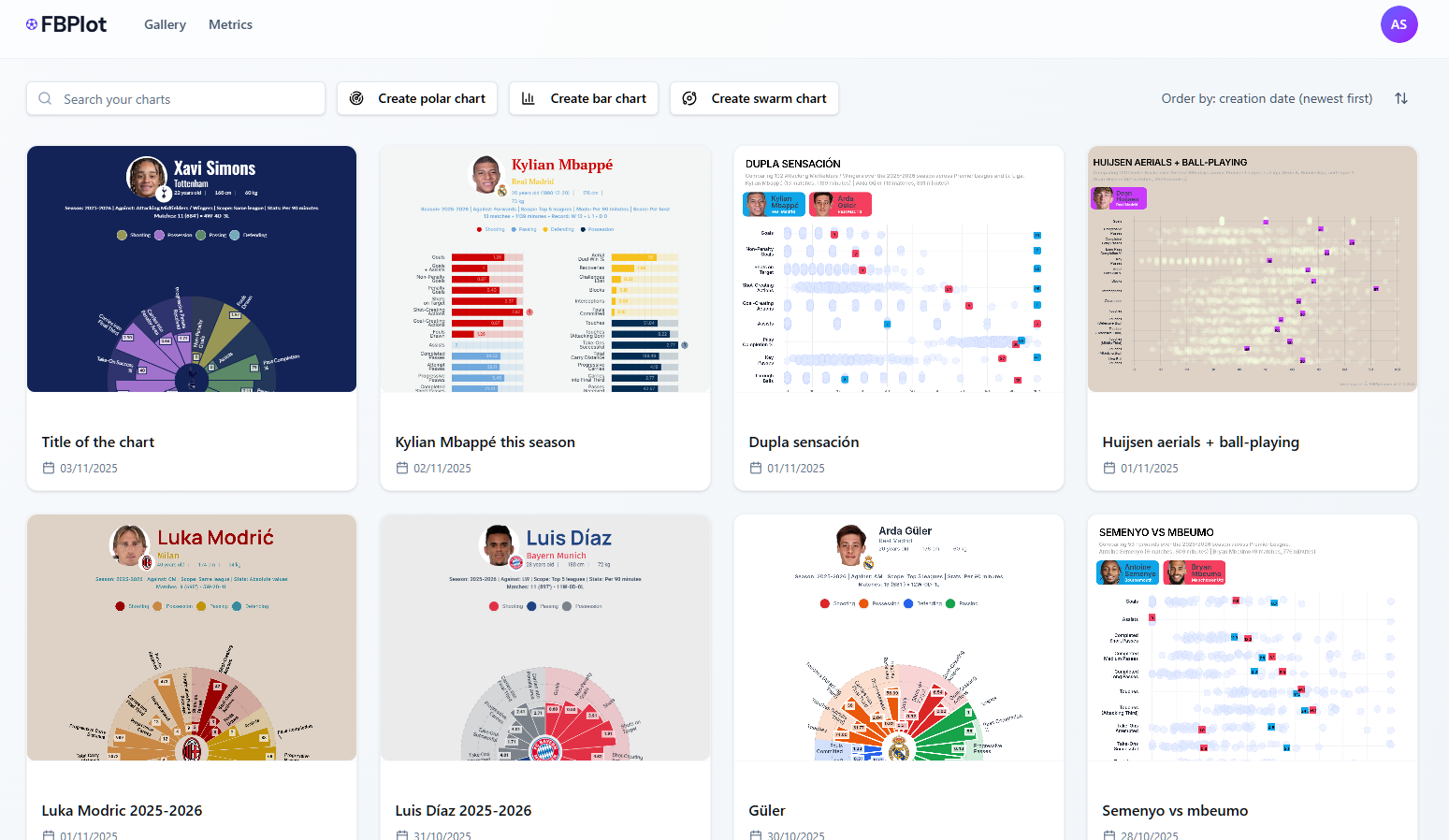
In the modern football landscape, data is everywhere. From expected goals to progressive passes, the amount of information available to coaches, analysts, and fans has never been greater. FBPlot launched to make that information easier to turn into clear visual stories.
Historical note: This article records FBPlot’s original introduction on November 13, 2025. Product capabilities and availability can change; see the changelog for current releases.
The Challenge
Traditional data visualization tools can require substantial setup and design work, while generic templates may not capture the context of player performance. Coaches need timely insights, analysts need clear outputs, and supporters and publishers need visuals that make the underlying comparison understandable.
The difficult part was never drawing a bar or a circle. It was keeping the football question attached to the graphic. A chart could look finished while hiding the season, mixing totals with rates or comparing players who did completely different jobs. By the time the image reached a report or social post, the spreadsheet and the decisions behind it were often somewhere else.
FBPlot began from a simple frustration: an analyst should be able to move from “what am I trying to learn?” to a publishable visual without rebuilding the same football context by hand every week.
The Original Idea
FBPlot was introduced to shorten the path from football data to a chart that can be analysed, refined and shared. The core workflow combined player and metric selection, visual customisation, and image export in one football-specific product.
That workflow starts before colour selection. The user chooses the player or population, fixes the period, decides whether the question needs totals, per-90 rates, percentiles or team contribution, and identifies the role against which the result should be read. Only then does design take over. The chart is not merely the final decoration; it is a compact record of those analytical choices.
Chart Types at Launch
The product centred on several complementary views:
- Radar charts for multidimensional player profiles.
- Bar charts for direct metric comparisons.
- Scatter and bubble charts for relationships, trade-offs and outliers.
- Swarm plots for showing a player within a wider distribution.
The right chart depends on the question. The radar chart guide and scatter plot tutorial explain two of those workflows in more detail.
What That Idea Looks Like in a Current Export
The pizza profile below was created in FBPlot on 1 August 2026. It is not part of the 2025 launch state, so it should not be read as a promise about what existed on day one. It shows how the original idea has developed: the output carries the player, season, peer role, population scope, statistical mode, matches, minutes and metric values into one graphic, while a role-specific preset keeps the visual focused.
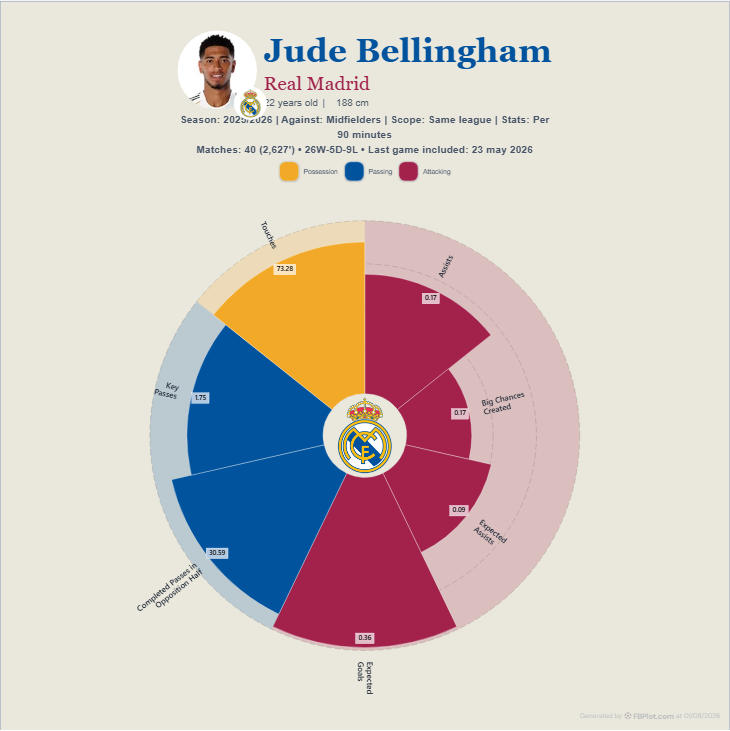
The image is readable without opening the editor. A coach can see that the printed values are per-90 rates and which metrics belong to the playmaker lens. A journalist can recover the sample before writing a headline. A scout can challenge whether same-league midfielders are the correct peer group. The graphic does not answer those questions automatically; it keeps them available.
Design Was Always Part of the Analysis
Football graphics travel. They appear in presentation rooms, messaging threads, reports, editorial pages and social feeds. A chart that works on a desktop canvas can fail when reduced to a phone. FBPlot therefore connected analysis with choices such as colour, typography and export format.
Those controls are not a licence to make weak evidence louder. They are there to impose a club, publication or personal identity while preserving labels and hierarchy. The best-looking export is still the one whose reader can identify what was measured and who was compared.
Who It Was Built For
FBPlot was designed for people who need to communicate football data: analysts preparing reports, scouts comparing potential signings, journalists building visual stories, and supporters exploring player performance.
Each group enters with a different decision. The analyst may need a repeatable chart for a weekly report. The scout may need a population view before opening candidate profiles. The journalist may need a graphic that survives mobile reading. The supporter may simply want to understand why two players with similar totals occupy different roles. The shared need is not more numbers; it is a clearer route from numbers to a question worth discussing.
FBPlot does not replace metric definitions, tactical analysis or video. A long bar can identify an unusual value, not its cause. A percentile can locate a player inside a population, not declare universal quality. The product is most useful when it makes that boundary easier to see.
That original purpose remains the historical context for this launch article. It is not the source of truth for current plans or functionality.
Explore FBPlot Today
For current product changes, read the FBPlot changelog. To inspect the available chart workflows directly, open the Pizza chart creator.
Found this helpful? Share it with your network
More Articles
How to Document a Reproducible Football Chart
Record the minimum information another analyst needs to rebuild a football chart: question, source, period, population, metrics, units and configuration.
Small Samples in Football Analytics: Minutes, Matches and Uncertainty
Handle early-season and low-minute football data with explicit exposure rules, sensitivity checks and cautious language.